Keep the cloud in context
Stream and navigate large survey datasets, isolate the work area, measure, crop and define levels without losing the source evidence.
POINT CLOUD → EDITABLE BIM
Inspect survey data, model existing conditions and verify construction in one focused workspace—then hand coordinated geometry into Revit or IFC.
01Built around real site dataTools shaped by survey and scan-to-BIM work.
02One connected projectCloud, model elements and checks stay together.
03Practical handoverMove coordinated outputs into delivery platforms.
THE SITE2BIM WORKSPACE
Site2BIM brings point-cloud viewing, geometry creation, project editing and inspection into a single Windows workspace. It keeps measured conditions visible while you make the decisions that turn captured reality into a useful deliverable.
See every toolsetStream and navigate large survey datasets, isolate the work area, measure, crop and define levels without losing the source evidence.
Fit and edit services, structure and building elements with tools designed around what can actually be identified in a point cloud.
Turn floor, face and verticality checks into visual reports that project teams can understand and act on.
CONNECTED TOOLSETS
Start with the work you need today. Keep every extracted element organised in the same project as your source cloud and checks.
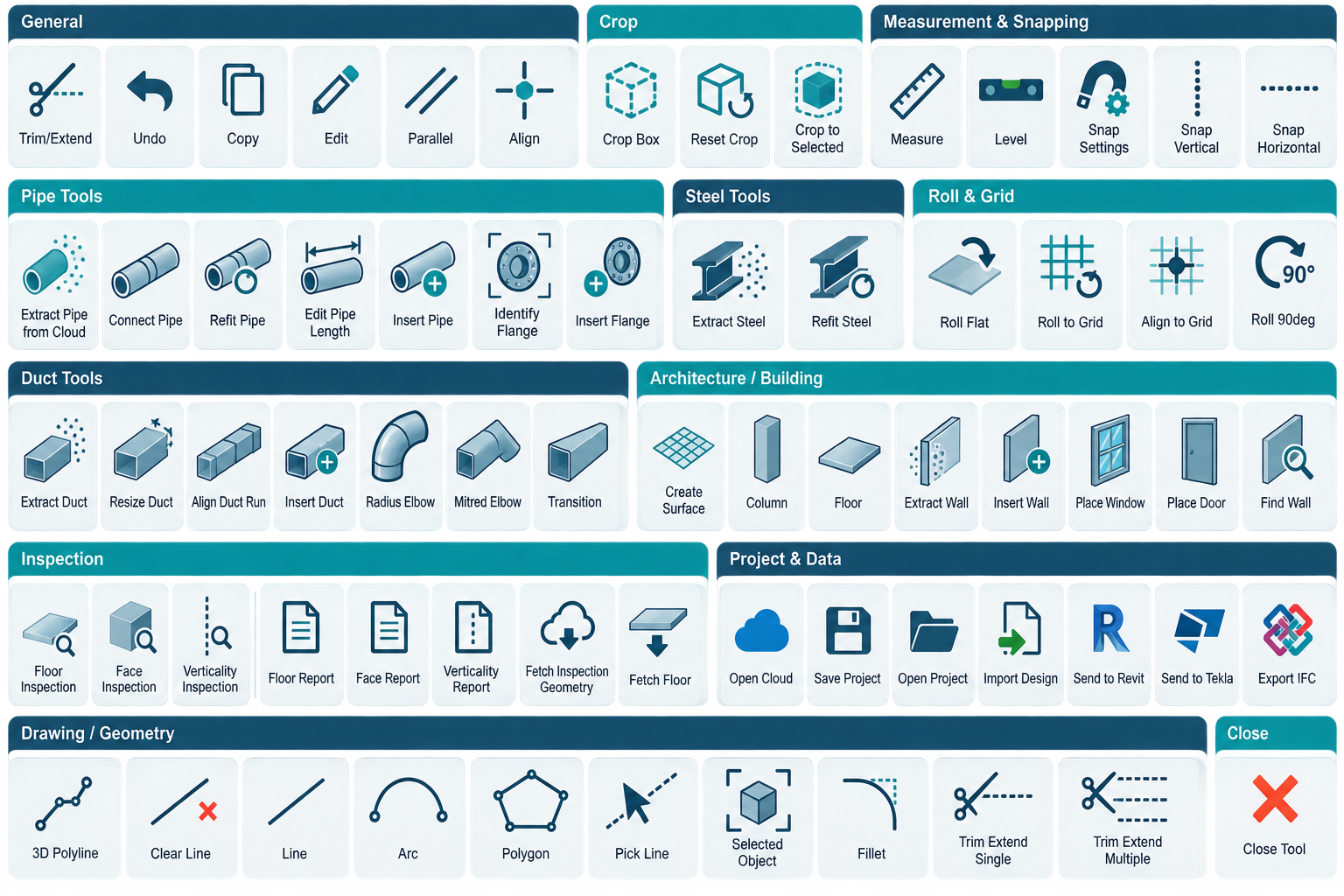
Extract pipe from the cloud, connect and adjust runs, edit lengths, identify flange sizes and insert observed components.
Build round and rectangular ductwork with extraction, resizing, run alignment, elbows and transitions.
Extract members against profile libraries, then refit, resize, roll, align and trim the results into a coordinated frame.
Create and refine walls, openings, floors, columns, roofs, site surfaces and kerb runs from measured conditions.
Assess floors and faces, check verticality and produce clear visual reports backed by the underlying survey points.
Save the complete workspace, import design context and move coordinated geometry into Revit or an IFC deliverable.
Follow the workflowPURPOSE-BUILT CONTROLS
Site2BIM groups tools into clear workflows, so the controls for modelling, checking and delivery stay close to the work. The project browser keeps every element visible and manageable as the job grows.
✓Workflow-based ribbonsProject, services, structure, building and inspection.
✓Persistent project browserControl categories, elements and visibility in one place.
✓Focused active-tool guidanceInstructions and status remain visible while you work.
A CLEAR PATH THROUGH THE DATA
Each step stays connected to the same project, so decisions remain traceable and the source cloud never becomes a detached reference.
Open E57, LAS, LAZ, PLY or XYZ data and save a reusable Site2BIM project.
Crop, measure, snap, define levels and bring in design context where it helps.
Create the services, structure, architecture or site geometry you need.
Generate inspection evidence and transfer coordinated outputs into Revit or IFC.
FOUNDING BETA PROGRAMME
Join our beta testing programme to receive a full working licence throughout beta testing, plus 50% off your first subscription.
your first subscription
+ Full licence during beta testingBEFORE YOU APPLY
Accepted beta testers receive access to the working Site2BIM application and its available modelling, inspection and handover toolsets for the duration of the beta programme.
The current workspace supports E57, LAS, LAZ, PLY and XYZ point-cloud files.
No. Site2BIM is a standalone Windows workspace. You can build and review the project there, then hand relevant geometry into Revit or export IFC when required.
Surveyors, scan-to-BIM specialists, BIM coordinators and project teams working with measured existing conditions are all good candidates.
BETA ACCESS & PRODUCT WALKTHROUGHS
Tell us what you model, the point-cloud formats you use and where the handover gets difficult. We’ll focus the conversation on the tools that matter to your work.